Video tutorial
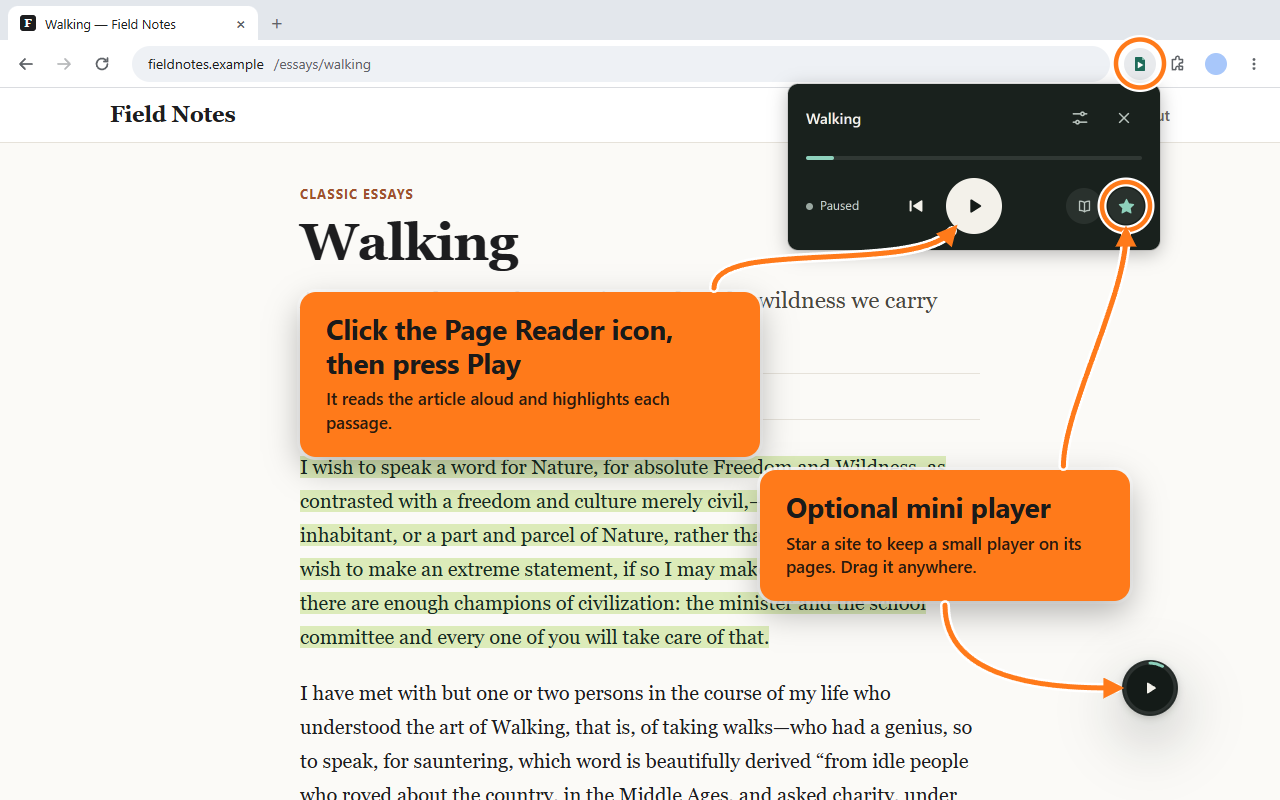
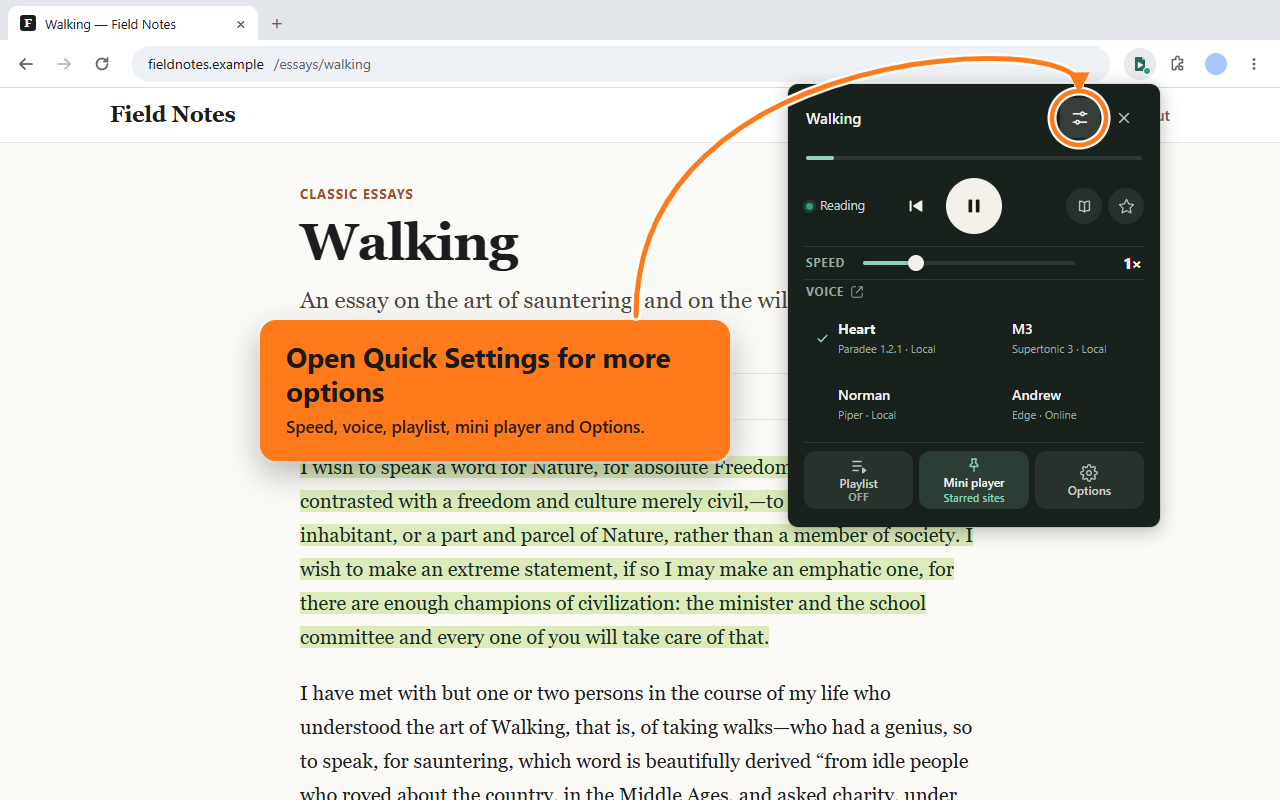
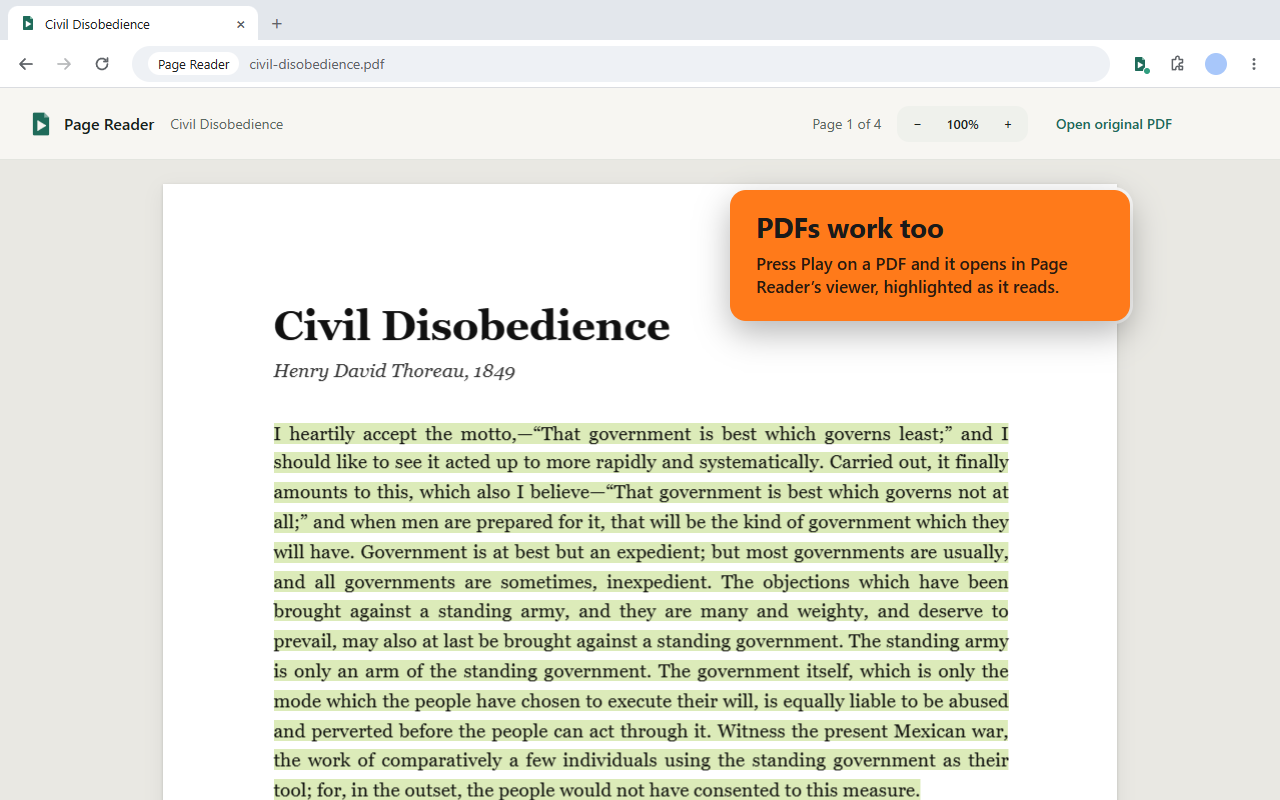
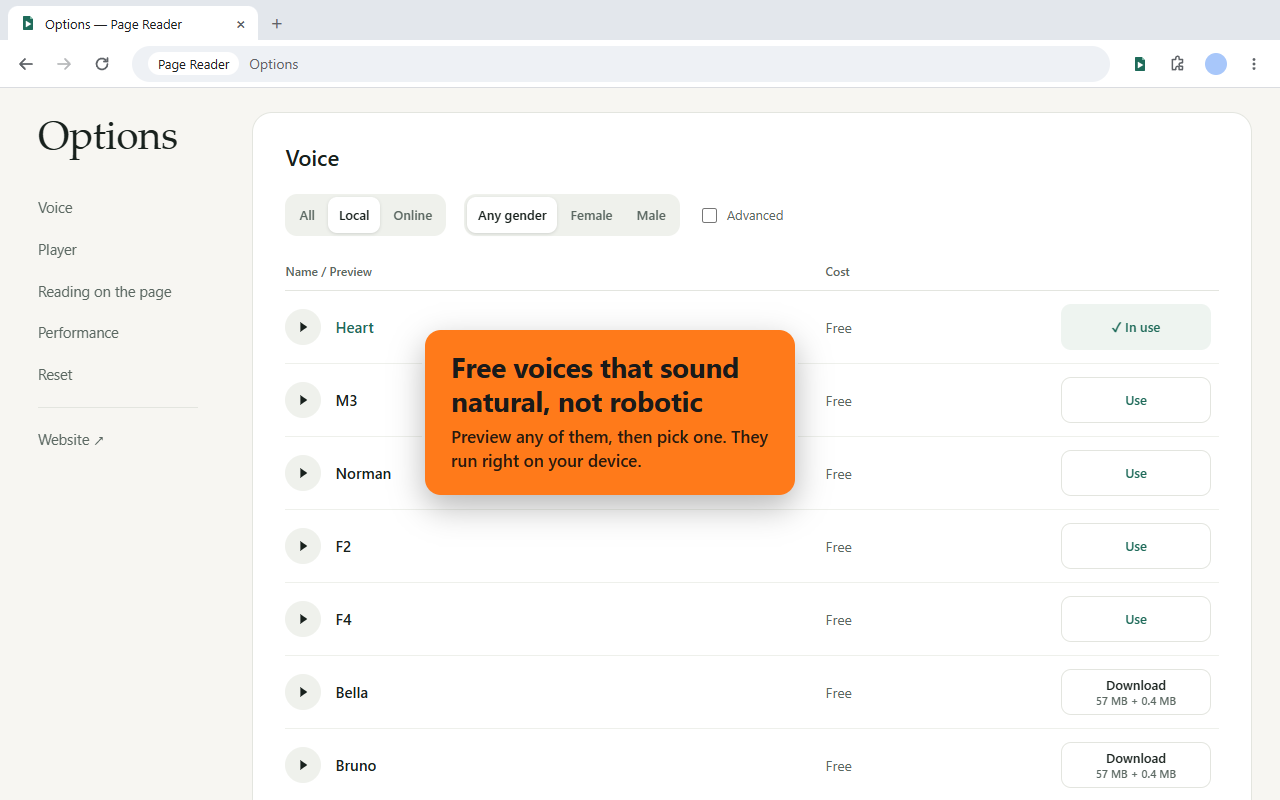
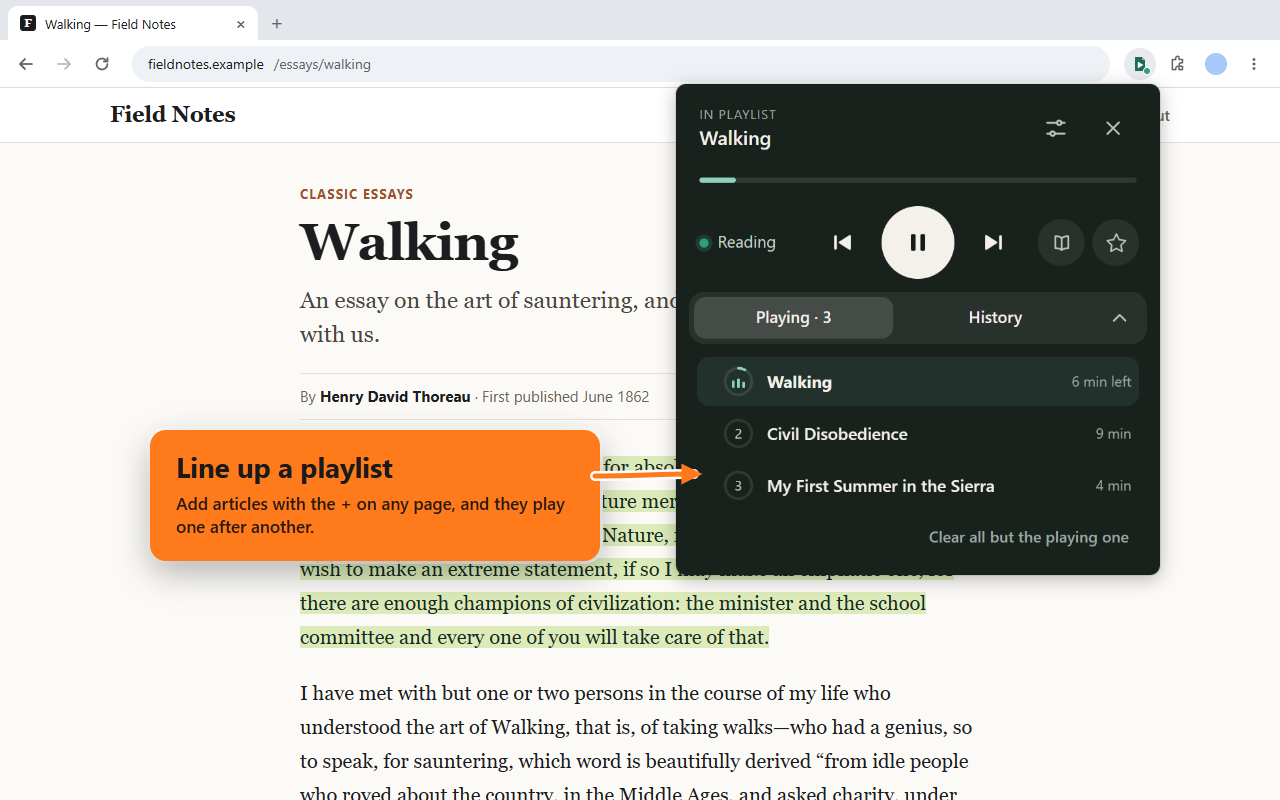
A three-minute tour: pinning Page Reader, playing an article, voices, the mini player, the reading view, PDFs and the playlist.
Screenshots
Install
Page Reader is free. Add it to your browser:

The Chrome Web Store version also works in Brave, Microsoft Edge and other Chromium browsers.
No warranty
The extension is provided “as is” and “as available,” without warranties of any kind, either express or implied. To the fullest extent permitted by law, we disclaim all warranties, including implied warranties of merchantability, fitness for a particular purpose, non-infringement, accuracy, reliability, availability, and uninterrupted or error-free operation. Your use of the extension is at your own risk.
Privacy
Updated 11 November 2026
Page Reader reads web pages and PDFs aloud on your device. Text leaves your device only when you choose an Edge voice.
Page Reader collects nothing: there are no accounts, analytics or ads, and nothing from the extension reaches our servers.
What stays on your device
- Page and PDF text: used to find what to read and to highlight it. The text being read is kept until you close the browser.
- Playlist and History: the address, title, site and your place for articles you add or play. History keeps your last 20 articles for 7 or 30 days, or not at all.
- PDF places: where you stopped in your last 100 PDFs, with a few words of text to find the spot again.
- Settings, starred sites and downloaded voices.
You can clear History, remove playlist items and remove downloaded voices at any time. Uninstalling Page Reader deletes all of it.
What leaves your device
- Edge voices, only when you choose one. The text being read and the chosen voice are sent to Microsoft’s speech service (api.msedgeservices.com), which provides Edge voices. These requests emulate the Microsoft Edge browser, which the service requires. The page address, title and your History are not sent. Microsoft receives your IP address and handles the data under the Microsoft Privacy Statement.
- Voice downloads, only when you download a voice. The files come from Hugging Face or DigitalOcean Spaces. These requests contain nothing you read; the host sees your IP address.
- PDFs. To show a PDF in Page Reader’s viewer, the extension loads it again from the address you opened it from.
How data is used
Page Reader’s use of information received from web pages and Chrome APIs adheres to the Chrome Web Store User Data Policy, including the Limited Use requirements.
Data is used only to read pages aloud. We never sell it, never share it beyond what is described above, and never use it for advertising or to determine creditworthiness or for lending. Page Reader is not directed at children under 13.
Changes and contact
We will update this page and its date when these practices change. Questions: andkon@andkon.com.